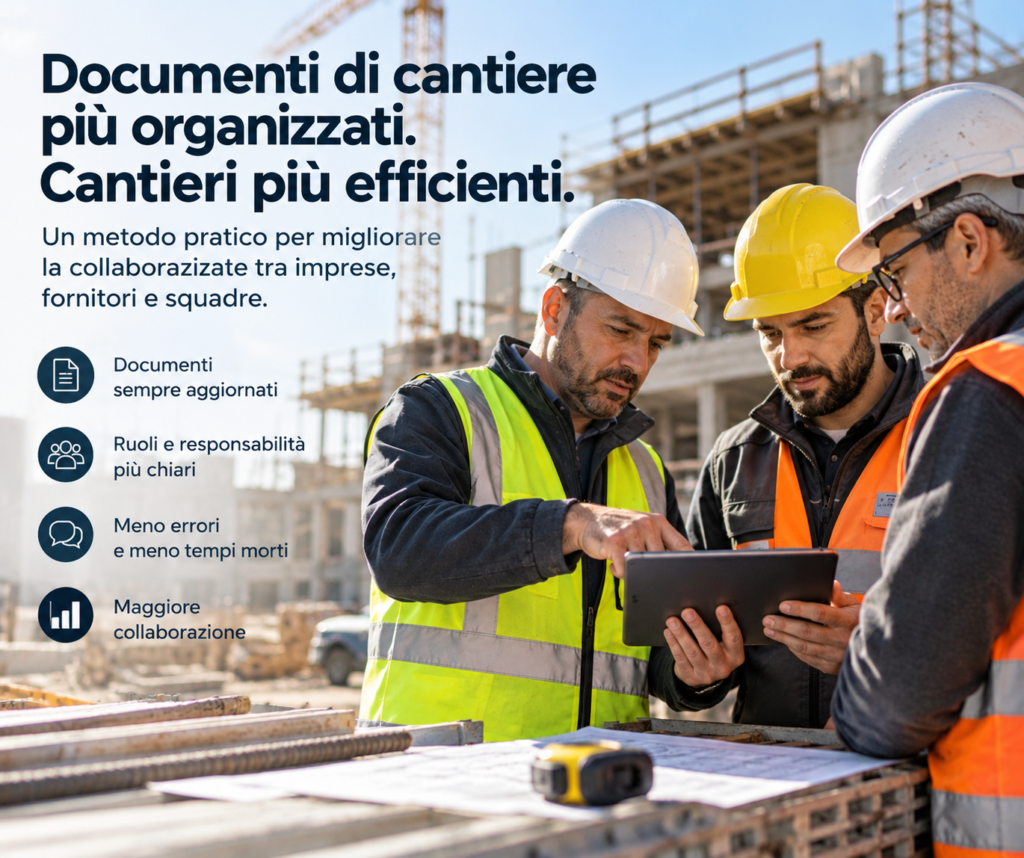
For many small and medium-sized construction companies, the day-to-day management of attendance and teams remains more complicated than it needs to be. Handwritten sheets, messages sent to the foreman, last-minute phone calls, hours that have to be reconstructed at the end of the month, and responsibilities that are not always so clear when pressure is at its highest.
The result is familiar to anyone who truly works on a construction site: the office asks for confirmation of hours, the foreman has to remember who was present, a replacement was not communicated, and at the end of the month someone has to piece all the information together. This article sets out a practical 30-day plan to bring order without turning the company upside down: start with the real situation, gradually introduce digital tools, clarify roles and responsibilities, and arrive at a method that can also be replicated on other sites.
Why address attendance now: hidden costs and operational risk
Attendance may seem like one of the simplest activities to manage: knowing who comes in, who leaves, and how many hours are worked. In practice, however, when the process is fragmented, hours to verify, overtime reported verbally, unrecorded replacements, and administrative time spent reconciling data every month begin to appear.
For an SME, these steps have an impact. Not only because they take time, but because they make it harder to understand how resources are actually distributed among sites and project phases. There is also an organisational aspect: knowing who is present in the field and maintaining clearly defined responsibilities helps manage the site more effectively, especially when employees, collaborators and external companies are working at the same time.
Attendance tracking does not, of course, replace the obligations established in the area of health and safety. The Italian Ministry of Labour and Social Policies provides an official overview of employers’ responsibilities; for the company, the point is to use operational information in an orderly way without confusing a management system with the requirements established by law.
Days 1–7: document the real situation before changing anything
The first week is not for installing software. It is for understanding how things really work today.
Take the list of active sites and note, for each one, how many people typically work in the field, who coordinates the team, and how arrivals, departures, absences and replacements are recorded. Paper? Excel? Messages? A separate app? A phone call to the office at the end of the day?
Then look at where time is being lost. How long does the administration department take to reconstruct hours at the end of the month? How many corrections are requested? How often does the foreman have to answer the same question? Are there sites where the process already works better than at others?
At this point, set three simple objectives for the next 30 days. For example: increase the percentage of attendance records entered digitally, reduce the time needed to close the monthly summary, and decrease the number of corrections requested. You do not need ten KPIs. A few are enough, provided they are measurable.
Days 8–14: choose and test a practical solution
In the second week, move on to the tool. This is where it is easy to make the first mistake: choosing the software with the most features rather than the one the team will actually use.
For an SME, it is far more important to have a simple construction management app that is easy to open on a phone, intuitive attendance recording, the ability to organise teams, and roles that are easy to understand. If a digital badge is used on the construction site, clocking in should take only a few seconds and should not become yet another procedure to work around.
The trial should begin with one or two sites, not the entire company. For seven days, observe what really happens: how long recording takes, how many people need assistance, where connectivity is missing, which steps are unclear, and how many corrections the office still has to make.
That is precisely what the test is for. Not to prove that the software works, but to understand whether it works with the way you work.
Days 15–18: clarify operational roles and responsibilities
Halfway through the process, you need to answer extremely simple questions: who checks what?
Who checks that the team has correctly recorded attendance? Who handles a missed entry? Who authorises a correction? Who communicates a replacement? Who steps in when someone is moved from one construction site to another?
One possible model is to assign the foreman operational control of their own team and appoint an office contact who checks anomalies and closes the summaries. It is not the only solution, and every company can organise itself differently. What matters is that the answer is not “it depends on who is there that day”.
Put these responsibilities in writing on one page. If it takes twenty pages to explain them, the process is probably already too complicated.
Days 19–22: turn decisions into simple procedures
Now you need to turn the roles into a daily method.
Define how to record arrival and departure, what to do if someone forgets, how to report a replacement, how overtime is handled, and what happens when someone works on two different construction sites on the same day.
If you use a digital badge on the construction site, explain clearly when it must be used and which procedure to follow if the device or connection is unavailable. It is always better to provide a simple, traceable exception than to discover a week later that everyone has invented their own solution.
Instructions should be brief. One page, a few examples and, if necessary, a printed version on the noticeboard. Someone arriving at the construction site should be able to understand how the system works within a few minutes.
Days 23–25: quick training and team involvement
This is where much of the project’s success is decided.
Technology works only when the people who have to use it understand why it is in their interest to do so. Twenty or thirty minutes of training in the field can be much more effective than a manual sent by email.
Demonstrate real activities: how to record attendance, report an error, check your own team, communicate an absence, and find essential information. Avoid presenting ten features that people will never use.
It is also useful to have a contact person for each team or shift. This person should not become “the IT person”; they simply need to be the first person to contact when something does not work. This prevents every minor question from going straight to administration.
Days 26–28: check what is really happening in the field
During the final days of the trial, compare what the system records with what is actually happening.
Are clock-ins being forgotten? Are some collaborators having more difficulty than others? Does a particular area of the site have connectivity problems? Are replacements being communicated correctly? Is the office still receiving the same phone calls as before?
Do not defend the process simply because you have just introduced it. If a step continually causes problems, simplify it. If a feature is not useful, remove it from the daily workflow. If information is still being entered twice, ask yourself why.
The goal is not to have a perfect process on day 28. It is to reach day 30 with a system simple enough to use for months without relying on initial enthusiasm.
Days 29–30: consolidate, measure and decide how to extend the method
During the last two days, collect the first data. How many attendance records were entered correctly? How many anomalies were corrected? How much time does the office now need to verify hours? Which problems occurred most often?
Prepare a very simple report and compare it with the starting situation. If the result is positive, you already have a concrete basis for extending the method to other sites. If some metrics have not improved, you have still gained useful information: you know what needs to be corrected before scaling up.
Finally, keep a brief procedure covering the rules, people responsible and solutions to the problems encountered during the trial. It will be the starting point for the next site and will prevent you from starting from scratch every time.
The most common implementation mistakes
The first mistake is choosing a tool that is too complicated. If recording attendance takes longer than it did before, adoption will inevitably become difficult.
The second is introducing the new system without explaining to teams what is changing and why. Understandably, people tend to keep using what they know, especially if no one shows them a concrete benefit.
The third is digitising the old process exactly as it was. If the office previously transferred hours manually from a sheet to Excel and tomorrow will have to copy them manually from the app into another file, you have not eliminated the problem: you have only changed its format.
Finally, do not overlook foremen. They are often the people who know the exceptions of daily work best and can immediately point out when a procedure designed by the office does not work in the field.
How to measure success after 30 days
Success is not measured by counting how many times the app was opened. It is measured by observing whether the work has become easier.
Three KPIs may already be enough: the percentage of attendance records entered without corrections, the time needed to prepare the monthly summary, and the number of anomalies that remain open for more than 24 or 48 hours.
You can also add a very simple indicator: how many requests for clarification does the office receive each week about attendance? If, after a month, the digital system records everything but the phone calls have stayed the same, there is still something to improve.
Reports should be available to the people who genuinely need them — operations, administration and management — while avoiding the creation of a new archive that only one person knows how to use.
Where technology really helps: what construction-site attendance software should do
Good construction-site attendance management software should do much more than store a clock-in and a clock-out time.
It should allow you to organise collaborators and teams, assign roles, manage permissions and anomalies, keep a history, and link information to the correct construction site. When attendance data remains isolated in a separate app, part of its operational value is lost.
This is where the concept of a Construction Operating System comes in: not an isolated feature, but an environment in which people, construction sites, documents, communications and operational data share the same context.
Three realistic SME scenarios applying the plan
Scenario 1: a renovation company with two sites. The main problem is the time the office spends reconstructing hours at the end of the month. The company introduces the digital badge at just one site, appoints an operations contact, and measures the time needed to close the summary before and after the trial. The result to observe is not a percentage promised in advance, but the actual number of administrative hours recovered.
Scenario 2: an SME with a high labour component. The goal is to better understand how many hours are actually devoted to the different phases. By progressively connecting attendance, teams and financial information, the manager can compare actual hours with the plan and intervene earlier when a phase absorbs more resources than expected.
Scenario 3: a company that often works with external teams. In this case, the problem is knowing who is present, which company they belong to and who the contact person is. A more orderly structure of collaborators, teams and roles reduces the phone calls needed to reconstruct this information and makes the organisation of the site clearer.
Connecting attendance, organisation and safety without confusing roles
Knowing which people are present at a given construction site is useful operational information, but it should not be confused with safety management as a whole. DVR, POS, training, instruction, PPE, roles and responsibilities are subject to specific obligations that remain distinct from a simple attendance register.
To explore prevention issues on construction sites, you can also consult the INAIL resources dedicated to construction, which collect activities and materials on safety at temporary and mobile construction sites.
There is also a second aspect not to overlook: attendance data is workers’ personal data and must be processed correctly. In particular, digital tools must not be confused with biometric systems: in 2026, the Italian Data Protection Authority reaffirmed the very strict limits on using employees’ biometric data to record attendance. An ordinary digital badge does not necessarily require any biometric processing and must, in any case, be configured in compliance with applicable regulations.
Practical checklist to get started
- Collect current data on attendance, teams and the tools being used.
- Choose one or two pilot sites on which to test the new method.
- Define simple responsibilities for the foreman and administrative contact.
- Test a construction management app and a simple attendance-recording system.
- Train people on the activities they will actually use.
- Measure reconciliation times, anomalies and requests for clarification.
- Update the process before extending it to other sites.
Costs: when the investment is sustainable for an SME
The cost of software is easy to see. The cost of repetitive administrative hours, phone calls, corrections and information that has to be reconstructed is much less visible.
That is why the assessment should start with the time the company spends today. If a solution costs, for example, 365 euros per year + VAT — about one euro a day — the correct comparison is not only with the price of another software product. It is with the time it can help recover and the level of control it makes possible.
Training, configuration and changes in habits must of course also be considered. Inexpensive software that nobody uses costs more than a slightly more expensive tool that genuinely eliminates manual activities.
How Edil-Up fits into the journey
At Edil-Up, we are developing this approach within a Construction Operating System: the goal is for people, construction sites, documents, attendance, communications, roles and operational information not to exist as completely separate tools.
Team and attendance management is therefore one part of a broader environment. A collaborator is linked to their company, can be associated with a construction site and specific roles, while the office and field progressively work within the same information context.
The aim is not to add as many features as possible. It is to reduce the points at which information gets lost.
Those who want to learn more can explore the features dedicated to construction companies or compare different approaches through our guide to construction management software.
Useful sources and references to keep handy
When discussing attendance, work organisation and safety, it is always useful to distinguish operational management from regulatory obligations. For this reason, company tools should preferably be supported by institutional sources:
- Ministry of Labour – employers’ health and safety obligations;
- INAIL – construction-site safety resources;
- Data Protection Authority – attendance recording and use of biometric data;
- ISTAT – construction cost indexes.
ISTAT indexes can be useful for understanding general trends in sector costs, while monitoring the hours and labour of an individual contract must start from the company’s actual data. The two levels should not be confused.
What to do at the company tomorrow morning
There is no need to wait until next month or the next construction site.
Tomorrow morning, do three things. First: create a list of active sites, the teams present and their respective foremen. Second: ask administration how much time it spent last month checking and correcting attendance records. Third: choose a single site on which to test a simpler, digital procedure for seven days.
After one week, you will already have something worth more than any sales presentation: real data from your company.
That is where the other 23 days begin.
The Edil-Up Team