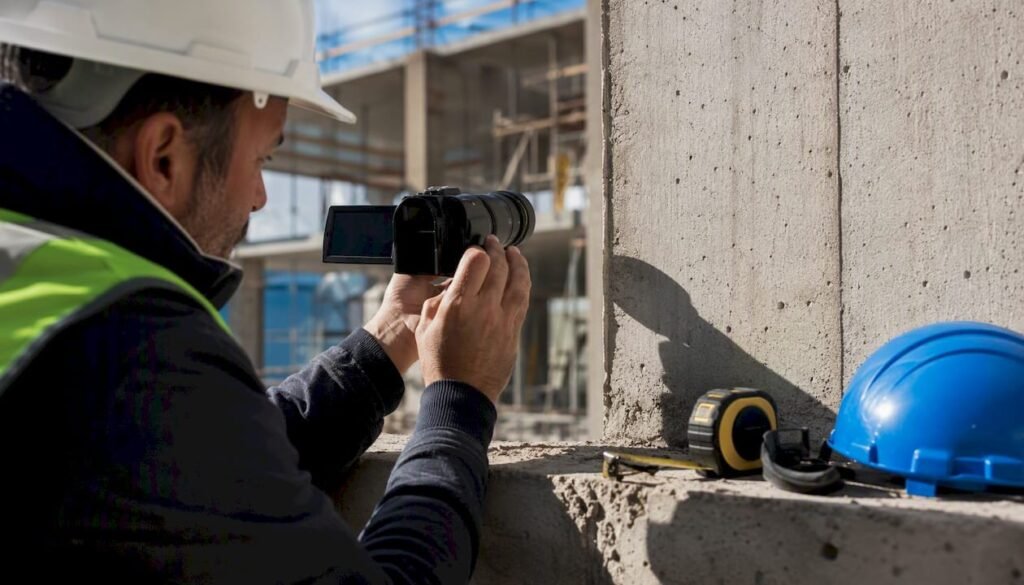
Yes: a remote site inspection can be effective and documentable if you follow a structured protocol and use tools that ensure traceability and chain of custody. It is not an improvised shortcut involving a video call on a poorly held smartphone: it is a process with defined roles, tested devices and a final output that stands up in technical or legal proceedings.
To work, a remote site inspection needs four minimum elements:
- An on-site operator and a remote technician, with clear roles and responsibilities before starting
- A stable connection and a device with its camera, GPS and battery checked in advance.
- An acquisition system that produces geolocated photos and videos with a timestamp
- A structured final report, archived in a traceable manner and attributable to its author
Excluded from this method are inspections requiring direct physical equipment: destructive testing, precision structural measurements and non-destructive testing (NDT) requiring a certified technician on site. Everything else, from progress verification to document checks, can often be managed remotely without losing quality.
Contents
- Why traditional site inspections often fail or are inefficient
- When is a site inspection suitable for remote execution?
- How to conduct a remote site inspection in seven steps
- What devices and apps are needed for a remote site inspection?
- How to build a site inspection report that stands the test of time
- When is an in-person site inspection still needed?
- How a management platform supports remote site inspections
- Comparison of software platforms for remote site inspections
- What training do operators need for remote site inspections?
- How to manage real-time communication during the site inspection
- How to prepare the site before a remote inspection
- How to protect data and privacy during digital site inspections
- What I learned from observing the adoption of remote site inspections
- How to get started with Edil-up for remote site inspections
- Quick key points about remote site inspections
- Frequently asked questions about remote site inspections
- Sources
Why traditional site inspections often fail or are inefficient
An in-person site inspection seems like the safest method, but in everyday construction-site operations it accumulates inefficiencies that few people truly account for. A technician who has to travel between three sites in one day loses hours in the car, with the risk that unexpected weather or a traffic jam will throw the entire schedule off.
The four most recurring problems are:
- Travel delays: the availability of the specialist technician often does not coincide with that of the site, and every postponement costs days of idle work.
- Weak traceability: photos taken without geotags or timestamps, saved on a personal phone and never archived in a structured way.
- Fragmented communication: the technician sees the site once, then receives updates through informal messaging, with context lost between one inspection and the next.
- Logistical and environmental costs: repeated trips for checks that could be resolved with fifteen minutes of guided video calling.
The ANCE Observatory describes a construction industry under pressure on schedules and margins, a context in which every avoidable inspection day weighs on the overall project schedule.
A tip: keep a separate record of inspections postponed for logistical reasons over the past three months. If they represent a significant share of the total, you already have a strong case for introducing remote inspections at least for routine checks.
When is a site inspection suitable for remote execution?
The right question is not “can I do it remotely?” but “what do I need to verify, and does it require my hands or my eyes?”. Technical criteria matter more than personal preference.
First assess the type of check: if a physical measurement with calibrated instruments is required (thickness gauge, thermal camera for an in-depth energy diagnosis, load testing), an on-site presence remains necessary. If the objective is instead a visual inspection, a progress check or a document pre-check, remote working almost always performs just as well.
Then there are organizational criteria: you need an available and trained on-site operator, sufficient data connectivity (even stable 4G is adequate) and an already digitized document base against which to compare what has been observed.
Three concrete cases where remote inspection works well:
- Visual inspection of damage reported by a client (cracks, water infiltration, detached plaster)
- Verification of work progress against the project schedule
- Document pre-check before a more in-depth technical visit
Virtual inspections are particularly suitable for periodic checks, document reviews and supervision sessions, while NDTs requiring on-site equipment remain outside their scope.
A tip: if you have doubts about a specific case, ask a simple question: “would this decision change if I saw the exact same content recorded three days ago instead of live?”. If the answer is no, real-time remote inspection probably is not even necessary: a video recorded by the on-site operator will be enough.
How to conduct a remote site inspection in seven steps
A repeatable protocol turns a digital site inspection from an exception into standard practice. Here is the operating sequence that works on sites of different sizes.
- Briefing and information gathering. Before the session, collect floor plans, project documentation and the list of critical points to be checked. Without this step, the video call becomes a pointless tour.
- Role identification. Define who the on-site operator is (often a site manager or a collaborator) and who the technician guiding the inspection remotely is. Both figures must know exactly what is expected of them.
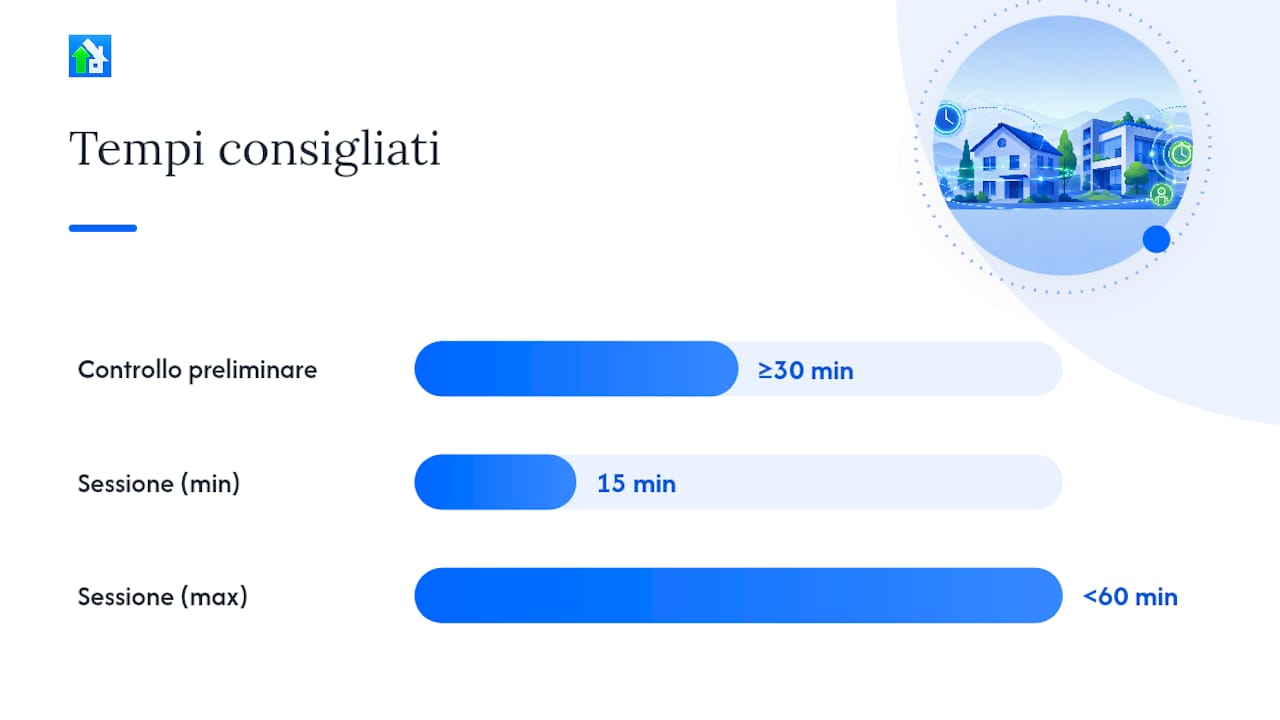
- Preliminary technical check. Check the connection, device battery, storage space and installed apps at least thirty minutes before starting, not at the last minute.
- Conducting the guided session. The remote technician tells the operator where to point the camera, which angles to capture and which details to zoom in on. A good session generally lasts between fifteen minutes and less than an hour.
- Acquisition and certification of evidence. Every photo and video must include geolocation and a timestamp, saved in a format that does not allow subsequent untracked modifications.
- Report preparation and validation. The technician prepares the report immediately after the session, while the details are still fresh, noting non-conformities and required actions.
- Follow-up and archiving. The report is archived in a document management system accessible to all parties involved, with a cross-reference to the project.
Points not to skip at any stage:
- Always appoint a single contact person for the on-site operator, not an indistinct group
- Record the session even when you think you will not need it
- Confirm every detected non-conformity verbally before ending the call
This approach follows the logic of the processes described for Bureau Veritas remote inspection, where information gathering, identification of on-site personnel and execution with audio and video transmission always precede the final report.
A tip: record every session in full, not only the moments you consider relevant. The part that seems irrelevant today is often the part requested in a dispute six months from now.
What devices and apps are needed for a remote site inspection?
The technical setup does not need to be sophisticated, but it must be tested. A recent smartphone with a good camera and active GPS covers most cases. A tablet adds convenience for showing floor plans during the session. Smart glasses remain a niche tool, useful when the operator needs both hands free to open panels or move obstacles, but they involve a cost and learning curve that many small and medium-sized sites do not yet justify. 360-degree cameras work well for documenting entire environments in a single pass, less so for focusing on one specific issue.
On the software side, four features really make a difference:
- Certified recording with a verification hash for file integrity
- Automatic georeferencing of every photo or video clip
- Timestamp that cannot be modified after acquisition
- Direct integration with the project’s document management system
Some platforms already integrate native anti-fraud features and generate signed PDF/A certificates with a qualified electronic seal, a level of rigor that is useful when the report must carry evidentiary weight.
For connectivity, always plan a backup: if the site’s 4G is unstable, the operator can record locally and upload the material as soon as a better signal is available, instead of forcing a live stream that cuts out every two minutes. Dedicated mobile apps for managing checklists and site inspections also exist, such as PlanRadar, which help the transition from paper to digital by integrating reminders and structured checklists.
A tip: always run a five-minute test with the operator before the official session: check the audio, framing and connection stability. It saves more time than you might expect.
How to build a site inspection report that stands the test of time
The report is the true final product of a remote site inspection, not the video call itself. A sound structure starts with a clear summary, followed by the evidence collected, the list of non-conformities and the recommended actions with their deadlines.
The minimum evidence to include consists of geotagged photos, videos with a visible timestamp and a statement signed by the on-site operator confirming the location and date of the inspection. Without these three elements, the report remains a description, not evidence.
Digital chain of custody is what distinguishes an internally useful report from one that can be asserted against third parties. It means applying a verification hash to the original files, adding a digital signature to the final document and archiving everything in a format that does not permit silent alterations. Certified video assessments show how real-time certification with metadata and a digital signature transforms a simple recording into a document with evidentiary value.
Finally, the report must flow into the project’s document management system, rather than remaining isolated in a local folder. Only in this way will it remain accessible to whoever needs it, whenever they need it.
A tip: always assign a unique identification number to every report, linked to the project and date. It may seem bureaucratic, but it is what saves you when you need to find a specific document among hundreds.
When is an in-person site inspection still needed?
Remote inspection does not replace everything, and forcing it where it is unsuitable creates more problems than it solves. Destructive testing, high-precision structural measurements and NDTs requiring calibrated equipment remain tasks for a technician who is physically present.
There are also evidentiary constraints to be aware of. Article 2712 of the Civil Code recognizes evidentiary value in photographic, computer-generated and cinematographic reproductions only if the party against which they are produced does not challenge them, while the eIDAS Regulation establishes the requirements for qualified electronic signatures and seals that make a digital document enforceable against third parties. When the inspection must produce a document with strong legal value, these two references guide decisions on how to certify photos, videos and reports.
Remote assessments replace in-person site inspections in many contexts, but the decision must be made case by case, assessing the type of evidence required.
There are also practical limitations linked to the site itself: no data connection, poor visibility conditions (dust, darkness, confined spaces) or safety restrictions that prevent the use of electronic devices in certain areas. In these cases, remote operation simply is not an option, regardless of how well the protocol is organized.
How a management platform supports remote site inspections
A well-written protocol is of little value if it is not supported by a tool that makes it repeatable. The operational control point should always include: device checks, appointment of the on-site operator, a recorded guided session, report completion within twenty-four hours and traceable archiving.
The features that really make a difference in a management platform are document integration (the report ends up where it is needed, without manual steps), archiving with controlled access and synchronous communication between the parties involved in the project, from technician to client.
Enterprise solutions such as IBM Maximo demonstrate that integrating computer vision and guided workflows makes it possible to scale visual inspections while improving the quality of collected data, a principle that also applies on a smaller scale when a construction site adopts consistent digital tools.
The Virtual Visit case confirms that digital visits enable guided remote inspections with several experts participating simultaneously, reducing operational interruptions compared with a series of in-person inspections.
Digitized processes can reduce project delivery times by up to 20% when the construction organization adopts consistent tools for planning, communication and documentation.
A tip: do not introduce everything at once. Start with one type of inspection (for example, a progress check) and stabilize the protocol before extending it to other cases.
Comparison of software platforms for remote site inspections
The market offers different approaches, and choosing requires practical criteria rather than marketing comparisons. Some solutions were developed for the insurance and utilities sectors, such as certified video-assessment systems, designed mainly to generate documents with strong evidentiary value. Others began as third-party technical certification platforms, geared toward audits and regulatory assessments.
There are four practical selection criteria to apply:
- Level of evidence certification: do you only need a dated photo, or a document with a hash and digital signature enforceable against third parties?
- Integration with existing project management: does the report enter the document system automatically, or must it be uploaded manually?
- Number of participants manageable in a session: some solutions allow only one operator and one technician, while others include multiple experts simultaneously.
- Compatibility with the site’s actual connectivity: a platform designed for stable broadband fails on an isolated site with only intermittent 4G coverage.
Construction-site management platforms designed for the daily operational workflow, such as Edil-up, instead aim to integrate remote inspection into the project’s complete life cycle: documentation, communication between contractors and progress monitoring in the same environment, without having to switch tools at every stage.
What training do operators need for remote site inspections?
The device alone is not enough: practical training is needed to use it correctly, follow the remote technician’s instructions and produce valid evidence. The ability to guide the operator and communicate effectively during the inspection is a skill developed through experience.
How to manage real-time communication during the site inspection
The quality of the session depends greatly on how well the remote technician can give clear and precise instructions. Vague explanations cause confusion, while specific directions improve results. Practical recommendations include establishing verbal signals for technical problems, asking for confirmation of non-conformities and managing speaking turns when several people are involved.
How to prepare the site before a remote inspection
Preparing the environment matters more than the quality of the device used. A disorganized site or blocked access points can undermine even the best-planned session.
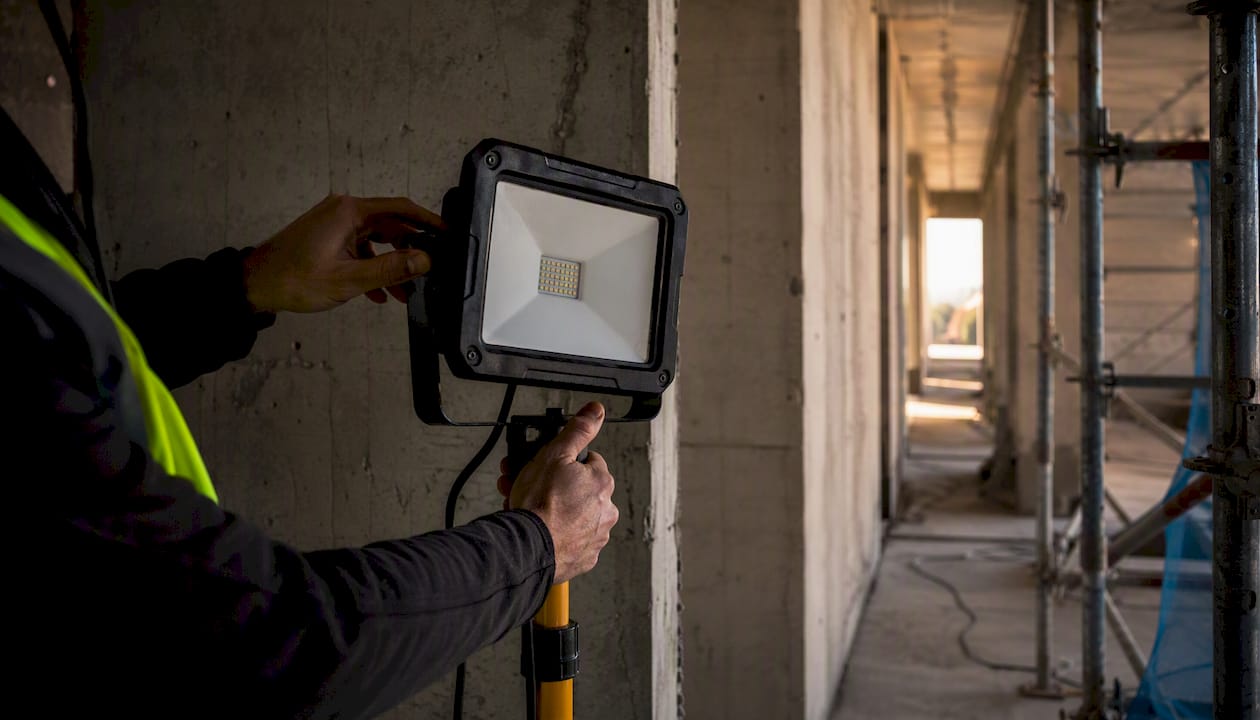
Before the session, check that access to the areas to be inspected is clear, that lighting is sufficient (bring a flashlight if necessary) and that the critical points identified in the initial briefing are easily reachable by the operator. Also check network coverage in the specific areas to be filmed, not just at the site entrance: many sites have dead zones in basements or service rooms.
Also prepare the reference documentation (floor plans, previous photos and list of open non-conformities) in a format that can easily be shared during the session itself, so the technician can compare what is observed in real time with what was planned in the design.
How to protect data and privacy during digital site inspections
Every remote site inspection produces sensitive data: images of private property, information about structural vulnerabilities and confidential project details. Handling them carelessly exposes the company to real risks.
Minimum practical guidelines include encrypting files during transfer and storage, limiting access to the material to people actually involved in the project and clearly defining retention periods for the collected data. Avoid using personal messaging apps to share construction-site photos or videos: without control over where those files end up, the traceability required for a robust report is lost.
Also check that the selected platform complies with the requirements of the European data-protection regulation when processing personal information that may appear in recordings, especially when the inspection concerns occupied properties.
The legal and regulatory information in this article is general in nature: for specific cases requiring certain evidentiary value, always verify the applicable regulations with a qualified professional.
What I learned from observing the adoption of remote site inspections
The most common mistake is not technical but organizational: companies buy the right tool and then use it with an improvised protocol, expecting technology to compensate for the absence of clear roles. It does not. An untrained operator with a professional camera produces worse material than a trained operator with a mid-range smartphone.
Ongoing training matters more than software updates. I have seen protocols fail not because of technological limitations but because no one explained to the on-site operator what to look for, or to the remote technician how to give understandable instructions under time pressure.
The most useful practical advice remains to start small: run a pilot project for a single type of inspection, with measurable objectives (time saved, postponements avoided and report quality), before extending the procedure to the entire site. Those who skip this step and digitize everything at once usually go back within two months.
How to get started with Edil-up for remote site inspections
Edil-up is designed to bring into one environment the stages that normally become scattered across different apps: project document management, work-progress monitoring and direct communication between the companies involved on the site.

If you manage multiple sites and inspections postponed for logistical reasons are beginning to affect the project schedule, the first practical step is to digitize the document structure before introducing guided video sessions: without floor plans, the schedule and previous reports already centralized and accessible, every remote inspection starts at a disadvantage. Integrated document management solves exactly this bottleneck, while work-progress monitoring makes it possible to link every inspection report to the exact point in the project to which it refers.
A good practical starting point: choose one recurring type of check (for example, periodic progress monitoring) and test it for one month using the platform to centralize reports and communications. To understand how to set up the Plus subscription best suited to the number of sites you manage, visit Edil-up’s pricing page or contact the team for a demo tailored to your case.
Quick key points about remote site inspections
A remote site inspection works when roles, devices and evidence certification are defined before the session, not improvised during it.
| Point | Details |
|---|---|
| Clear roles before starting | Always appoint an on-site operator and a remote technician with tasks defined in advance. |
| Certified evidence | Use photos and videos with geotags, timestamps and, where legal value is required, a digital signature compliant with eIDAS. |
| Technical limits to respect | Destructive testing and precision structural measurements remain tasks to be performed in person. |
| Measurable pilot project | Start with one recurring type of inspection before extending the procedure to the entire site. |
| Integrated platform | Tools such as Edil-up centralize documentation, progress monitoring and communication in one environment. |
Frequently asked questions about remote site inspections
Does a remote site inspection have the same legal value as an in-person one?
It can, but only if the evidence is certified with a timestamp and a digital signature compliant with the eIDAS Regulation, and stored so that it cannot be altered without leaving a trace. A generic report without these elements has weaker evidentiary value.
What devices are enough to get started?
A recent smartphone with a good camera, active GPS and a stable connection covers most cases. Tablets, smart glasses and 360-degree cameras remain useful in specific scenarios, not basic requirements.
How long does a remote site inspection session typically last?
Between fifteen and forty-five minutes, depending on the complexity of the area to be checked and the number of critical points identified in the initial briefing.
Who needs to be present during the session?
At least one on-site operator and one remote technician.
What happens if the connection drops during the inspection?
The on-site operator can continue recording locally and upload the material as soon as the signal becomes available again, rather than forcing an unstable live stream that compromises the quality of the footage.
Sources
Anyone wishing to go beyond the operating procedure described here can find technical and regulatory details in the following sources: