
For construction-site checklists and quality control, the strongest choice for Italian teams is a platform combining customisable templates, reliable offline operation and direct integration with the mandatory documents required by D.Lgs. 81/08, particularly PSC and POS. Edil-up meets these requirements with an approach designed for the Italian market: document centralisation, local support and project-monitoring tools. For those working mainly with plans and handover punch lists, Fieldwire and Punch List & Site Audit are the most complete international alternatives.
Here is the operational shortlist:
- Edil-up: recommended Italian platform for teams managing PSC/POS and construction-site documentation and wanting support in Italian.
- Fieldwire: ideal for those working with HD drawings and needing georeferenced annotations with offline synchronization.
- PlanRadar: excellent for structured punch lists and handover workflows with defect management.
- iAuditor: the choice for those wanting an extensive template library and customised reporting.
- myAEDES: Italian software specifically for works directors and safety coordinators (CSE).
Contents
- What is the best app for construction-site checklists and inspections?
- How to choose the right app: criteria and questions to ask the supplier
- What a digital construction-site checklist must be able to do
- Quick profiles of the main tools for the Italian market
- Key points
- Edil-up for Italian construction sites: document management and integrated checklists
What is the best app for construction-site checklists and inspections?
| App | Ideal use | Checklists & templates | Offline | PSC/POS integration | Italian | Price | Platforms | GDPR | Onboarding |
|---|---|---|---|---|---|---|---|---|---|
| Edil-up | Integrated site management, PSC/POS, sustainability | Customisable templates, document management | Yes | Yes (document integration) | Yes | Subscription plans, trial available | iOS/Android/Web | Yes | Local support, training |
| Fieldwire | Plans, annotations, site checklists | Customisable templates, library | Yes (robust) | Partial | Yes | Freemium + paid plans | iOS/Android/Web | Yes | Documentation, community |
| PlanRadar | Punch lists, defects, handover | Structured templates | Yes | Partial | Yes | Per user/month | iOS/Android/Web | Yes | Demo, support |
| Procore | Enterprise, multi-module | Extensive library, customisable | Yes | Yes | Yes | Enterprise (on request) | iOS/Android/Web | Yes | Dedicated onboarding |
| iAuditor | Inspections, audits, reporting | Extensive library, custom templates | Yes | No (generic) | Partial | Freemium + plans | iOS/Android/Web | Yes | Online guides |
| Punch List & Site Audit | Punch lists, handover audits | Basic, customisable templates | Yes | No | Yes | Freemium | iOS/Android | Yes | Minimal |
| myAEDES | Works directors, CSE, Italian regulations | Specific Italian templates | Partial | Yes | Yes | Professional licence | Web/Desktop | Yes | Italian support |
| Anvaigo | Formalised audits, site visits | Audit templates | Partial | No | Partial | On request | iOS/Android/Web | Yes | Demo |
| Ditio Core | Large sites, HSEQ, attendance | HSEQ checklists | Yes | Partial | Partial | Enterprise | iOS/Android/Web | Yes | Dedicated onboarding |
| TeamSystem Construction | Administrative management, accounting | Italian modules | Partial | Yes | Yes | Italian licence | Web/Desktop | Yes | Italian support |
| Hyperlist | Advanced checklist customisation | Highly customisable | Yes | No | Partial | Freemium + plans | Web/iOS/Android | Yes | Documentation |
| App Sicurezza Cantieri | Regulatory safety checklists | Standard safety modules | Partial | Yes | Yes | Free/low-cost | iOS/Android | Yes | Minimal |
| Mela Works | Mobile usability, simple workflows | Basic templates | Yes | No | Yes | Freemium | iOS/Android | Yes | Minimal |
| STR Vision CPM | Large projects, cost control | CPM modules | Partial | Partial | Yes | Enterprise | Web/Desktop | Yes | Dedicated training |
| Certus Post | Surveys, measurements in checklists | Measurement support | No | No | Yes | Not public | iOS/Android | — | Minimal |
| Evernote | Notes, photos, document backup | Flexible (not specific) | Yes | No | Yes | Freemium | iOS/Android/Web | Yes | Minimal |
| Scanner Pro | Digitisation of paper documents | N/A | Yes | No | Yes | Paid | iOS | Yes | Minimal |
| Dropbox | File storage and sharing | N/A | Yes | No | Yes | Freemium + plans | iOS/Android/Web | Yes | Minimal |
| Google Keep | Quick notes and lists | Minimal | Yes | No | Yes | Free | iOS/Android/Web | Yes | None |
| Trello | Kanban, small-team tasks | Light checklists | Partial | No | Yes | Freemium | iOS/Android/Web | Yes | Minimal |
| Factorial | Attendance, integrated HR | Not specific | Partial | No | Yes | Per user/month | iOS/Android/Web | Yes | Support |
| Sicurezza Cantieri (Namirial) | Regulatory obligations, documentation | Standard modules | Partial | Yes | Yes | Licence | Web | Yes | Italian support |
Three practical considerations when reading this table:
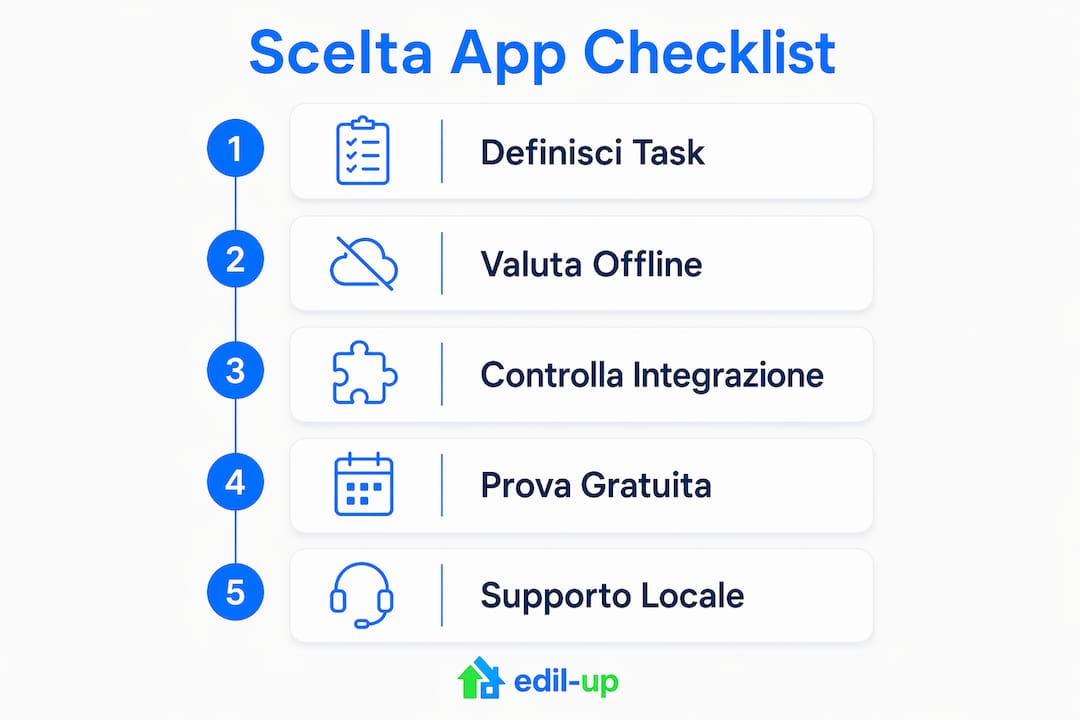
- Offline first: connectivity is often unstable on construction sites. Always check that the app genuinely works offline and synchronises correctly when the network returns, rather than merely claiming to do so.
- PSC/POS integration: Italian solutions (Edil-up, myAEDES, TeamSystem Construction, Sicurezza Cantieri Namirial) have a structural advantage here over general international tools.
- Demo and free trial: before signing any contract, request a trial of at least two weeks on a real site with at least three different types of checklist.
How to choose the right app: criteria and questions to ask the supplier
Choosing a digital-checklist tool is not simply a matter of comparing features on a technical sheet. What matters is how the app performs when a foreman uses it at 40 degrees, wearing gloves, on a smartphone with 15% battery and no signal.
Priority criteria to assess:
- Real-world ease of use: the interface must be usable by people who are not comfortable with technology. An app requiring three days of training will never be adopted in the field.
- Template customisation: can you create templates for specific construction phases (foundations, structure, services, finishes) without involving technical support?
- Verified offline operation: a claim is not enough. Test synchronisation after four hours offline with 50 completed items and 20 attached photos.
- PSC/POS integration and document management: can the app link a checklist item directly to a document from the mandatory safety plan?
- Security and GDPR compliance: where are the data stored? Does the supplier have verifiable certifications? Are the logs immutable?
- Support in Italian: a technical problem on site cannot wait until the next day for an answer in English.
- Cost and licensing model: per user, per project or flat licence? What happens to the data if you stop paying?
- Onboarding and training: does the supplier offer start-up sessions or only PDF documentation?
- Scalability: can the app handle 10 simultaneous sites with 50 active users?
Specific questions to ask during a demo:
- How do you handle POS and PSC integration in checklists? Can I link a control item to a specific document?
- How does the digital signature work? Is it legally valid in Italy under the Codice dell’Amministrazione Digitale?
- How are backups and logs handled? Can data be exported in an open format (PDF, CSV)?
- What is the average response time for support in Italian?
- Can I import existing checklist templates, or do I have to recreate them from scratch?
Recommended trial timeline:
- Week 1: configure three critical checklist templates (daily safety, structural quality, services inspection). Involve a foreman.
- Week 2: use the app on a real construction site. Measure checklist completion rate, average time per item and frequency of synchronisation errors.
- End of trial: assess spontaneous team adoption, quality of generated reports and ease of retrieving historical data.
Warning signs not to ignore:
- No free trial or structured demo.
- Support available only in English or only by email.
- Document integrations described vaguely (“compatible with the main systems”).
- Data stored outside the EU without explicit GDPR guarantees.
- Inability to export your data in a standard format.
A tip: Before starting the trial, define three reference tasks: complete a full HSEQ checklist, assign a non-conformity with a photo and deadline, and export a PDF report ready for the client. If the app passes all three tests in under ten minutes per task, it is a serious candidate.
What a digital construction-site checklist must be able to do
A paper checklist filled in with a pencil is not merely inefficient: it is a risk. In the event of an inspection or dispute, an untracked document is worthless. Digital checklists with immutable logs and automatic notifications eliminate this problem and reduce the need for alignment meetings, because the status of every item is visible in real time to everyone concerned.
Essential features:
- Customisable templates by phase: foundations, load-bearing structure, electrical and plumbing services, finishes. Each phase has its own specific checks.
- Photo capture and annotations: every non-conformity item must be documentable with a geolocated photo and text annotation.
- Geotag and GPS: useful for associating an observation with a precise position on the plan or site.
- Digital signatures: to formally close an inspection or handover with the responsible person’s signature.
- Action tracking and assignment: every non-conformity must be assignable to a responsible person with a deadline and automatic notification.
- Immutable log: every change must be recorded with a timestamp and user. This is the minimum requirement for traceability in the event of a dispute.
- Report export: PDF for the client, CSV for internal analysis. Both formats should be generatable within seconds.
- Deadlines and notifications: automatic reminders for mandatory periodic checks (e.g. PPE, scaffolding, installations).
The typical operational flow is linear: create the template in the office, complete it on site with photos and signatures, assign corrective actions, and close it with the report. Integration with PSC and POS adds another level: each checklist item can be linked to a mandatory document, automating compliance checks instead of relying on the responsible person’s memory. SafeDesk’s guide to mandatory construction-site documents provides a practical reference for understanding which documents must be present for each operational phase.
A tip: Create pre-filled templates for the most common phases of your typical project. A template with 70% of the items already set up reduces completion time in the field and lowers the likelihood of forgotten items.

Quick profiles of the main tools for the Italian market
Edil-up
Ideal for Italian teams managing sites with complex documentation requirements, including PSC/POS. Document centralisation is its main strength: all documents, checklists and project progress are accessible in one environment. Support in Italian and its focus on sustainability (with calculation of the environmental impact of digitised projects) distinguish it from international tools. The platform states that it significantly reduces handover times through process digitisation. Limitation: less focused on plan annotations than Fieldwire.

Mela Works
Mobile-first, clean interface, suitable for teams that do not want to waste time on configuration. Works well for simple workflows and daily operational checklists. It does not have the advanced PSC/POS integration features of specialised Italian solutions.
Fieldwire
One of the international benchmarks for managing sites with plans. The HD plan viewer with georeferenced annotations and offline synchronisation are genuinely reliable. The checklist template library is customisable. Available in Italian, with freemium plans for small teams. Less suitable for those needing deep integration with Italian regulatory documentation.
PlanRadar
Strong on punch-list workflows and defect management during handover. Its structured workflows for reporting and closing defects are among the best in the category. Support in Italian is available. The per-user price can become significant for large teams.
Procore
The leading enterprise platform in the construction industry. Modules for quality, safety, contracts and accounting are integrated into one ecosystem. Suitable for large companies with dedicated IT resources. The cost and implementation complexity make it disproportionate for small and medium-sized sites.
Anvaigo
Focused on formalised audits and site visits with structured reporting. Useful for organisations carrying out many periodic checks. The interface is designed for completing audit forms, not for everyday field use.
myAEDES
Italian software with specific features for works directors and safety coordinators. It manages the professional roles provided for by Italian regulations (CSE, CSP, DL) through dedicated modules. Support and documentation in Italian. Less suitable as a mobile app for everyday site use.
App Sicurezza Cantieri
Focused on standard modules for safety checks required by regulations. Useful as a compliance tool for those who must document mandatory periodic inspections. Limited functionality compared with general-purpose platforms.
iAuditor
Its template library is its strong point: thousands of ready-made, customisable and shareable templates. Reporting is detailed and configurable. Support in Italian is partial. Suitable for teams with cross-sector audit requirements, not just construction.
Punch List & Site Audit
Specialised in quickly capturing defects with photos and immediately generating PDF reports ready for handover. Works offline. The distinction between audits and punch lists is handled through the same item structure, simplifying the workflow. Ideal for final inspections.
Hyperlist
Advanced customisation of checklist templates, with a cloud structure. Suitable for teams with highly specific verification processes that want to build their own templates from scratch. Limited support in Italian.
Ditio Core
Designed for large sites and infrastructure. HSEQ checklists integrate with attendance tracking and a real-time dashboard for managers. Strong on workforce monitoring and GPS traceability. Less suitable for small and medium-sized sites because of its complexity and cost.
TeamSystem Construction
Complete Italian suite for administrative and operational site management. Integration between operational control and site accounting is its main advantage. Requires investment in training and implementation. Ideal for structured companies wanting a single management system.
STR Vision CPM
Used in Italy for advanced planning and cost control on large projects. Its CPM (Critical Path Method) capabilities make it suitable for those managing complex schedules. It is not a daily checklist tool, but a tool for financial control and planning.
Certus Post
Supports the capture of measurements, photos and annotations useful for quantity surveying and works accounting. Relevant when checklists must include measurement surveys. Similar functionality is also offered by PriMus POST from ACCA software, which supports annotating measurements directly from the field for quantity surveying.
Evernote, Scanner Pro, Dropbox, Google Keep, Trello
General-purpose tools that some professionals use as a fallback solution. Evernote and Google Keep for quick notes and photos, Scanner Pro for digitising paper documents as PDFs, Dropbox for sharing files among teams, and Trello for managing tasks with a lightweight kanban board. None of these is designed for construction-site checklists: they lack immutable logs, digital signatures, regulatory integration and construction-specific offline functions. Useful as a complement, not as the main solution.
Factorial
HR platform with attendance management. Relevant only for those wanting to integrate site attendance control with operational management. It is not a checklist tool.
Sicurezza Cantieri (Namirial)
Solutions for documentation and regulatory compliance at national level. Standardised modules for safety obligations are its strong point. Suitable for companies that need to manage large volumes of regulatory documentation in a structured way.
How we assessed these tools
The assessment is based on manufacturers’ official documentation, verified product pages, Italian industry guides and practical tests described in public sources. The weighting used for comparison:
- Field usability (25%): real ease of use for non-technical users and completion speed.
- Checklist functionality (20%): template customisation, photos, signatures, logs and notifications.
- PSC/POS and document integration (15%): ability to link checklists to Italian regulatory documents.
- Offline operation (15%): reliability of synchronisation without a connection.
- Price and onboarding (15%): cost transparency, free-trial availability and quality of implementation.
- Support and Italian language (10%): support available in Italian and localised documentation.
Trust signals to look for in any supplier: documented Italian case studies, a free trial of at least two weeks, verifiable GDPR certifications and local support. To test a tool in practice, define three trial tasks: complete a full HSEQ checklist, assign a non-conformity with a photo and deadline, and export a PDF report ready for the client.
Key points
The most effective digital construction-site checklist apps for the Italian market combine customisable templates, verified offline operation and integration with the mandatory documents required by D.Lgs. 81/08.
| Point | Details |
|---|---|
| Offline first | Check synchronisation after four hours without a network, with attached photos, before choosing any app. |
| PSC/POS integration | Italian solutions (Edil-up, myAEDES, TeamSystem Construction) have a structural advantage on this requirement. |
| Trial on a real site | Two weeks with three critical checklists is the minimum for assessing adoption and real-world reliability. |
| General-purpose tools as a complement | Evernote, Trello and Dropbox do not replace a specialised app: they lack immutable logs and digital signatures. |
| Edil-up for Italian teams | For document integration, local support and sustainability, Edil-up is the recommended choice for Italian sites. |
A word for works directors and site managers
There is a widespread tendency to treat digital checklists as a cosmetic update to paper: the same process, with a screen instead of a sheet. This is a costly mistake. The real value of an integrated digital tool is not the saving of paper, but the traceability it creates: every completed item, signature added and photo uploaded becomes verifiable data in the event of a dispute, inspection or incident. An immutable log is worth more than any verbal statement.
The second frequent mistake is choosing the most comprehensive tool instead of the one most widely adopted. An app with a hundred features that the foreman never opens produces no data. Digitalisation in construction works when it starts in the field, not in the office: involving a foreman during the trial and listening to feedback on real-world usability is worth more than any technical benchmark.
For Italian sites, integration with PSC and POS is not optional: it is where many international solutions show their limitations. Choosing a tool that handles these documents natively, with support in Italian, reduces the risk of non-compliance and makes life easier for the safety coordinator. Edil-up was created with this awareness, and it shows in the platform’s structure.
Edil-up for Italian construction sites: document management and integrated checklists
Anyone who has read this far already knows that choosing a checklist app is not merely a question of features. It is about finding a tool the team will actually use, one that complies with Italian regulations and does not create a data silo separate from the rest of site management.
Edil-up is the Italian platform that combines checklists, document management (including PSC/POS), project monitoring and communication between companies in one environment. Three concrete advantages for those managing sites in Italy: native integration with the mandatory documents required by D.Lgs. 81/08, support in Italian with local training, and tools to calculate and reduce the environmental impact of digitised projects. The platform states that it significantly reduces handover times through process centralisation. Discover the benefits of centralised management or review the available plans to find the right solution for your company. To get started, request a demo directly from edil-up.com/.
Useful sources for further reading
- Mandatory construction-site safety documents: the complete checklist (SafeDesk): complete list of PSC, POS, preliminary notice, DURC, PiMUS and other mandatory documents, organised by operational phase. A starting point for understanding what your app must integrate.
- Punch List & Site Audit: dedicated page on site audits explaining the difference between audits and punch lists and how to manage both workflows with the same app.
- Punch List: construction checklist app: overview of the main features for defect capture, PDF reports and offline multi-project management.
- Fieldwire on Google Play: official app listing with details on features, updates and reviews from Italian users.
- Ditio Core: workforce management and monitoring: details on HSEQ checklists, GPS traceability and real-time dashboards for large sites and infrastructure.
- PriMus POST: app for measurements and quantity surveying (ACCA software): mobile tool for recording measurements, photos and descriptions to support quantity surveying directly from the field.
- 5 digital tools for managing construction sites (Edil-up): practical guide with examples and impact metrics for site digitalisation, useful for setting trial KPIs.
- Checklist for assessing renovation estimates: practical example of a checklist structure applied to renovation work, with ideas adaptable to Italian sites.
Recommended
- The benefits of centralised project management – Edil-up – Sustainable construction for the future
- 5 digital tools for managing construction sites more efficiently – Edil-up – Sustainable construction for the future
- Optimising communication in construction projects – Edil-up – Sustainable construction for the future
- How to publish job adverts in the construction sector – Edil-up – Sustainable construction for the future